Running Airflow Locally
Testing Airflow locally involves setting up a suitable environment and validating workflows for effective data pipeline management.
Introduction to Airflow Configuration
Apache Airflow is a popular tool for orchestrating complex workflows in data engineering. When setting up Airflow locally, understanding how to configure your environment is crucial. This configuration is the backbone of ensuring that your DAGs (Directed Acyclic Graphs) operate efficiently. With the right settings, you can streamline the development process, making it more comfortable to run unit tests, integration tests, and even E2E (end-to-end) tests. For more on setting the airflow configurations, check the beginner's guide to Airflow.
Setting Up Airflow Locally
To set up Airflow locally, you need to install it in your Python environment. Use pip to install Airflow, and don’t forget to specify the version you want. You can create a virtual environment if you want to keep your global Python environment clean. Once installed, you’ll need to initialize the database which Airflow uses to keep its metadata. Use the Airflow CLI (`airflow db init`) command to get started. After initialization, check the configuration file located in `airflow.cfg` to fine-tune settings for your local execution.
Understanding DAGs
DAGs or Directed Acyclic Graphs are the core concept in Airflow. They represent tasks and how they relate to one another. When you create a DAG, you're defining the workflow and the sequence of execution. A well-configured DAG will help you avoid resource conflicts and ensure that tasks are executed in the correct order. To follow best practices in building your DAGs, don’t hesitate to read through this handy guide on DAG best practices.
Testing in Airflow
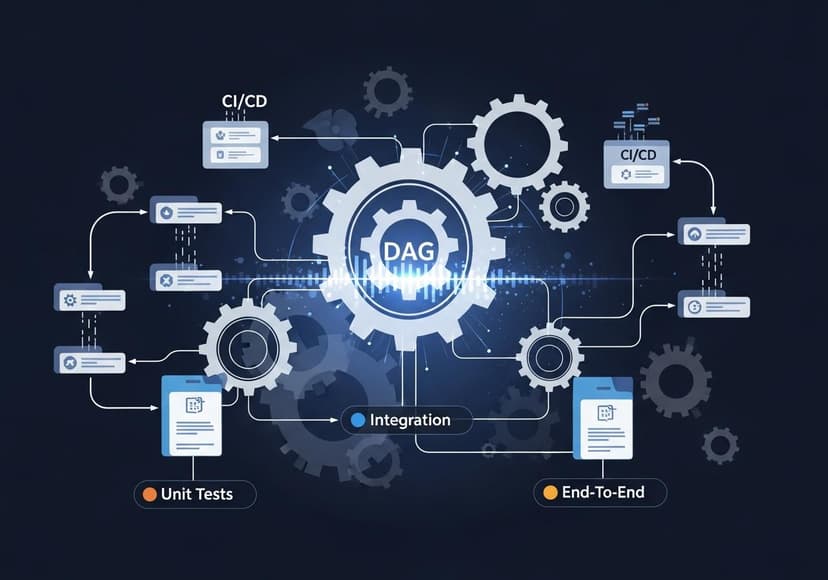
Testing your Airflow setup is fundamental to ensuring reliability. Without effective testing practices, you risk failure when deploying workflows in a production environment. You can perform various tests, including unit tests, integration tests, and E2E tests. Each type of testing serves a different purpose, allowing for more robust checks throughout your development cycle.
Unit Tests with Pytest
Unit tests are essential for checking the functionality of smaller units in isolation. Using a testing framework like Pytest, you can organize your unit tests efficiently. When running unit tests for your Airflow tasks, you can leverage mocking to simulate various scenarios your DAGs may encounter. Mocking allows you to test how your tasks would behave without relying on actual external dependencies, leading to faster and more reliable tests.
Integration Tests
Integration tests check how different components of your application work together. In the context of Airflow, you would run these tests to ensure that DAGs interact with different services like databases and APIs smoothly. Make sure to include checks for expected input and output flows to verify whether each component of your DAG is functioning properly. You might need to set up a temporary environment that mimics production for more accurate results.
E2E Tests
E2E tests provide the highest level of assurance because they test the complete workflow from start to finish. When dealing with Airflow, you would create scenarios where multiple tasks in a DAG are executed in a flow that mirrors real-world usage. Setting up E2E tests can be a bit more involved, requiring you to manage various external dependencies. But the outcome is invaluable, giving you confidence that your DAGs are working as intended in production-like environments.
Using Airflow CLI for Local Execution
The Airflow CLI is your command center for executing various commands seamlessly. You can run DAGs, check task statuses, and trigger DAGs directly from the command line. This functionality is especially useful during local development when you want to monitor how tasks are performing without the overhead of spinning up an entire web UI. The CLI commands allow for quick iterations and faster feedback on any configuration or code changes.
Mocking in Airflow Tests
Mocking is a powerful technique used in tests to isolate components. When you're testing Airflow tasks that may depend on external APIs, databases, or other services, mocking gives you the ability to substitute those external calls with simulated responses. A well-crafted mock can save you time and resources during testing, helping ensure that your tasks complete as expected. This means fewer worries about hitting rate limits on external APIs while you develop and test your workflows.
Configuration Management for Airflow
Managing configurations in Airflow is crucial for smooth operations. The `airflow.cfg` file is the main hub for global configurations like executor type, logging settings, and database connection URLs. To tailor your environment effectively, you can customize this file based on whether you're running locally, in development, or in production. Adjusting configurations allows you to optimize performance and reliability, making it key to successful workflow management.
Best Practices for Running Airflow Locally
When running Airflow locally, following best practices can streamline your development process significantly. Always keep your environment isolated by using virtual environments. This prevents conflicts with other packages. Regularly clean the database, especially when testing new DAGs or configurations. Monitor your logs and understand the execution context of your tasks. The more you refine your local setup, the easier it will be to spot issues before they reach production.
CI/CD for Airflow Projects
Integrating CI/CD (Continuous Integration/Continuous Deployment) workflows with Airflow can expedite your deployment processes. By leveraging CI/CD tools like Jenkins, GitLab CI, or GitHub Actions, you can automate running your unit tests, integration tests, and E2E tests upon changes to your codebase. This ensures that your configurations and workflows are maintained accurately, and any breaking changes are caught early. Ultimately, it enables a smoother transition from local development to production.
Final Thoughts on Running Airflow Locally
Setting up Airflow locally involves multiple steps, from installation to configuration, testing, and execution. With the right tools and practices, you can build a reliable environment for your data workflows. Always remember, whether you are dealing with unit tests or deploying through CI/CD, a small investment in time for configuration will yield significant benefits. Happy orchestrating!
Posts Relacionados

Ac Vent Location Problems Guide
Improper placement causes uneven temperatures, poor airflow, and reduced energy efficiency. Identify these issues for optimal comfort.

Air Return Placement Common Mistakes And Tips
Improper placement causes poor airflow, energy waste, and discomfort; avoid these mistakes for optimal HVAC performance.

Choosing The Right Smart Security Overview
Selecting the best smart security system means evaluating features, assessing needs, and ensuring reliable home protection.